
 contact-center
Pre-designed Email Sections
Pre-designed sections offer ready-made content layouts for text, images, buttons, and social links, helping you build emails faster without starting every section from scratch.
You can personalize these layouts with your own content to create email designs that stay aligned with your brand while saving time in the editor.
How to Use Pre-designed Sections
Create an Email Template and open the Email Editor.
Open the Sections tab.
Browse the available section categories and choose the layout you want to use. The available categories include:
Columns
Footers & Signatures
Headers
Text & Image
Take Actions
Images Collections
Drag and drop the pre-designed section into the email canvas.
Replace the placeholder content with your own text and images.
Edit or remove content blocks inside the section if you want to adapt the layout further.
Note
To learn more about editing section settings and working with blocks inside a section, see About Sections.
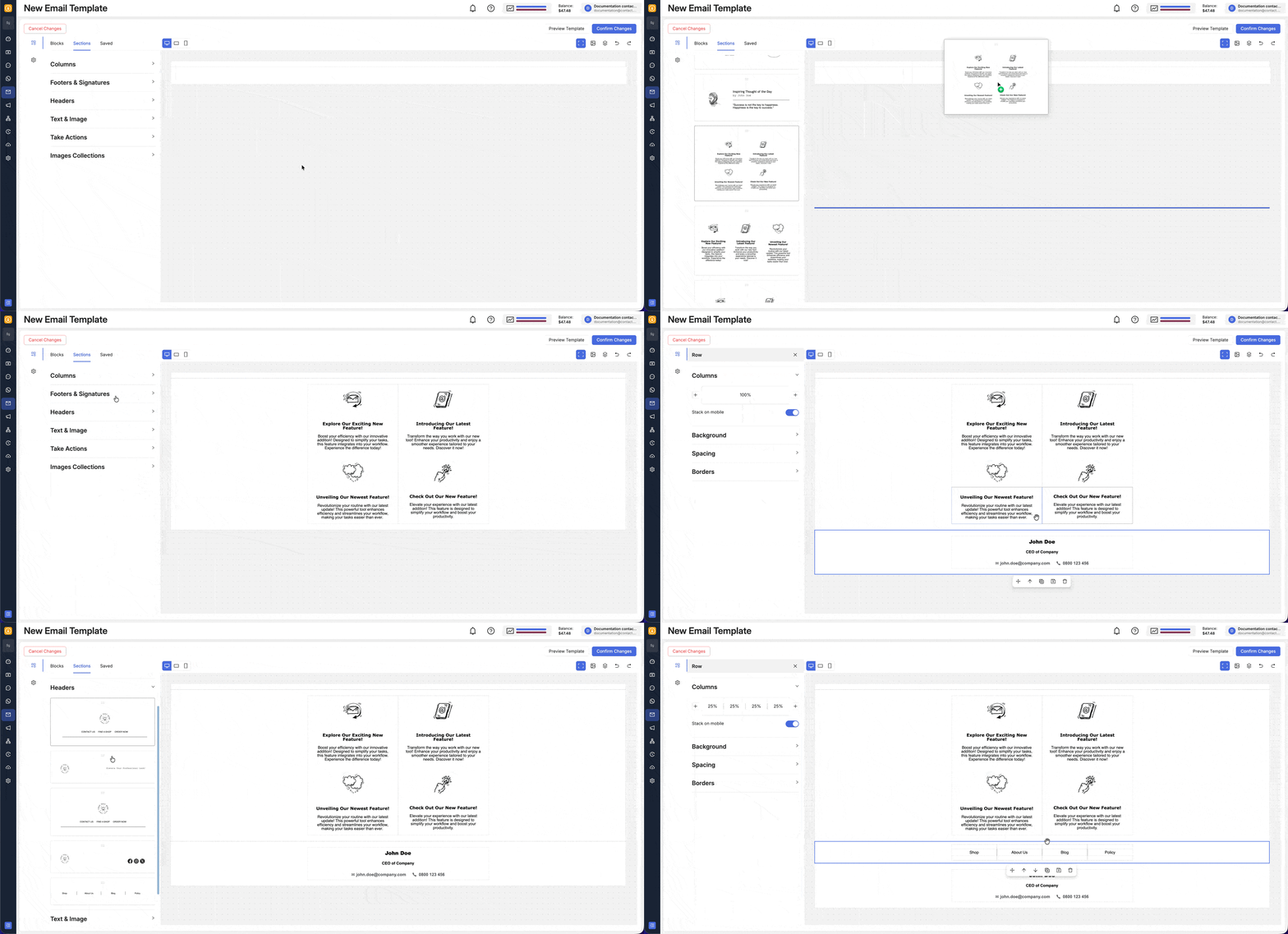
Fig. 1. Build using pre-designed sections.