
 contact-center
Carrier Sender ID
A Carrier Sender ID is a dynamic Sender ID selected according to the rules of the destination carrier. The business does not choose or reserve the Sender ID that recipients see.
contact.center™ also generates an immutable DDWW0xxxxx Sender ID for
submitting traffic. This value is different from the Sender ID that recipients
see and cannot be changed.
Common uses
Carrier Sender IDs are commonly used for:
Authentication messages.
Account, service, and delivery notifications.
Messaging to supported Latin American countries.
Use this type when recipients do not need to see a fixed business name or phone number.
How messages appear
The destination carrier determines the Sender ID that recipients see. It may not match the business name or phone numbers in the contact.center™ account, and it may change between messages.
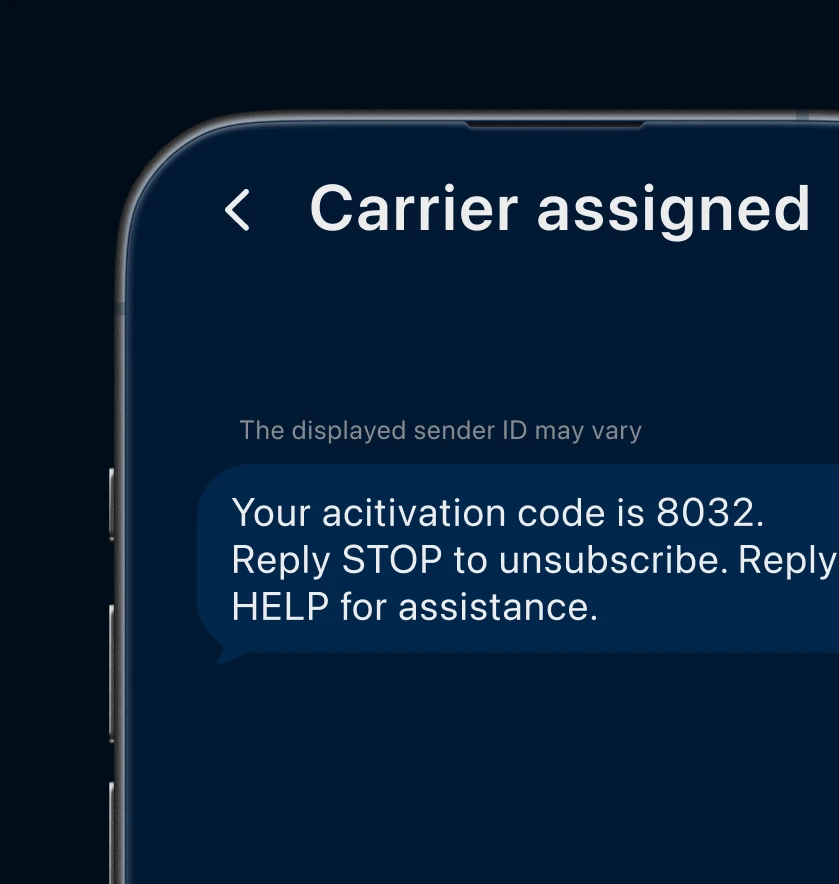
Fig. 1. Example message using a Carrier Sender ID.
Availability
Carrier Sender ID availability varies by country.
On the Sender Settings page, expand Available in under Carrier Sender ID to view the current country availability.
Application requirements
Before using this type, the Carrier Sender ID application must have the Approved status. The application links the business and messaging use case to the destination countries submitted for review.
The business information, message content, consent process, and messages sent must meet the requirements of each destination country.
For required submission fields, see Carrier Sender ID application.
To submit an application, see Enable a Carrier Sender ID.
Using an approved Sender ID
After the application is Approved, the Carrier Sender ID becomes available for SMS messages in contact.center™. Send only messages that match the approved business, destination countries, and messaging use case.
Select the approved Sender ID when creating an SMS broadcast or configuring the Send SMS action in an automation.