
 contact-center
Enable a Branded Sender ID
Submit a business or brand name for approval before using it to send A2P SMS messages.
Before you begin
Review Branded Sender IDs to confirm that this type matches your messaging use case.
Review A2P SMS compliance requirements before preparing the campaign description, consent flow, and sample messages.
Check that the billing information associated with the account is correct. It is locked for editing after the first Sender ID application is submitted.
Step 1: Open the application
In contact.center™, go to SMS > Sender Settings.
Under Branded Sender ID, click Enable.
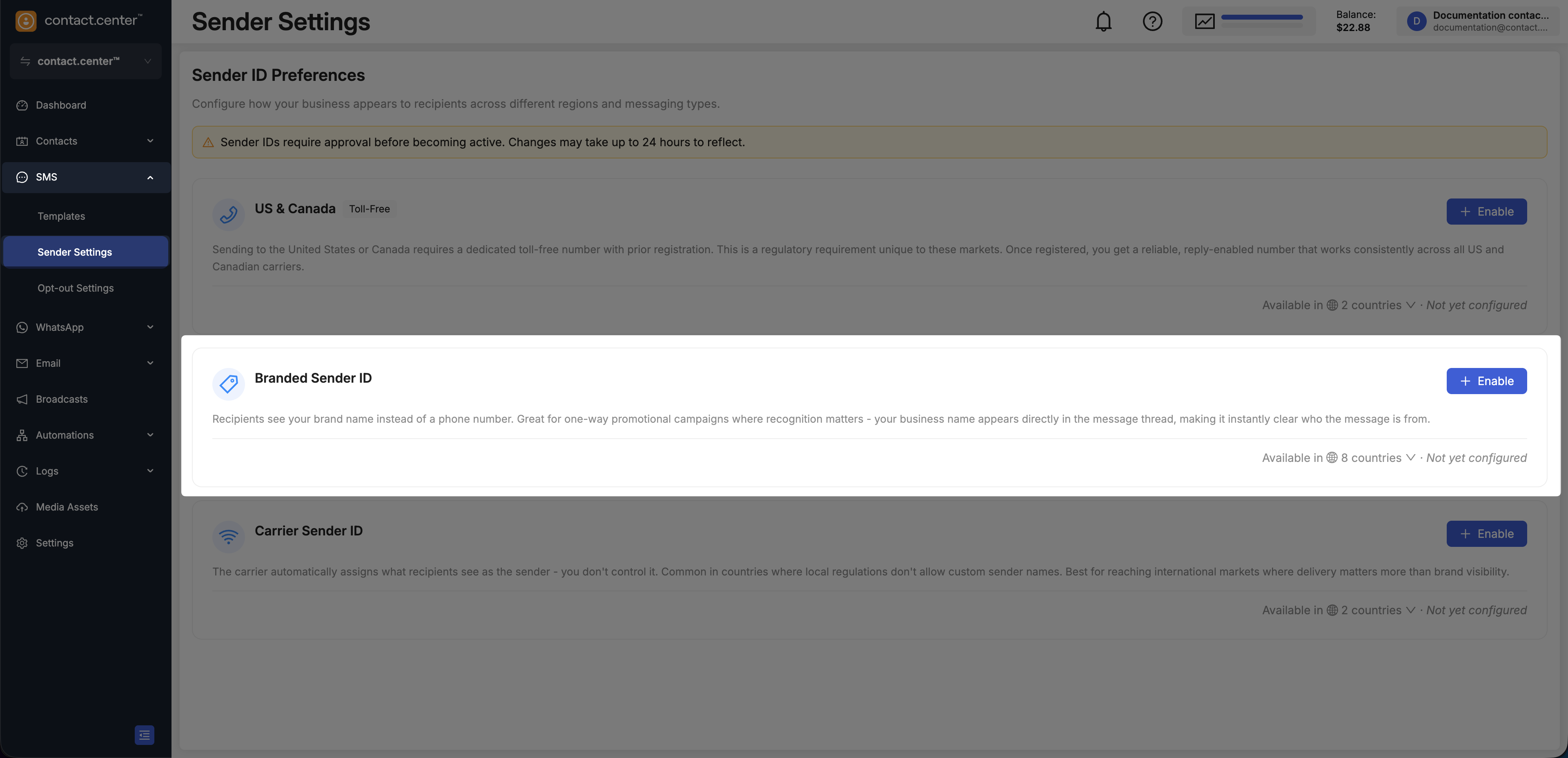
Fig. 1. Open the Branded Sender ID application.
Step 2: Enter business information
Under About your business:
Enter the Sender ID that recipients should see.
Enter the Legal Company Name and Website.
Click Next.
The Sender ID must contain 2 to 11 characters and at least one letter. Do not
use special characters or punctuation, leading or trailing spaces, or
consecutive spaces. Do not use a reserved DDWW0##### value.
For field descriptions, see Branded Sender ID application.
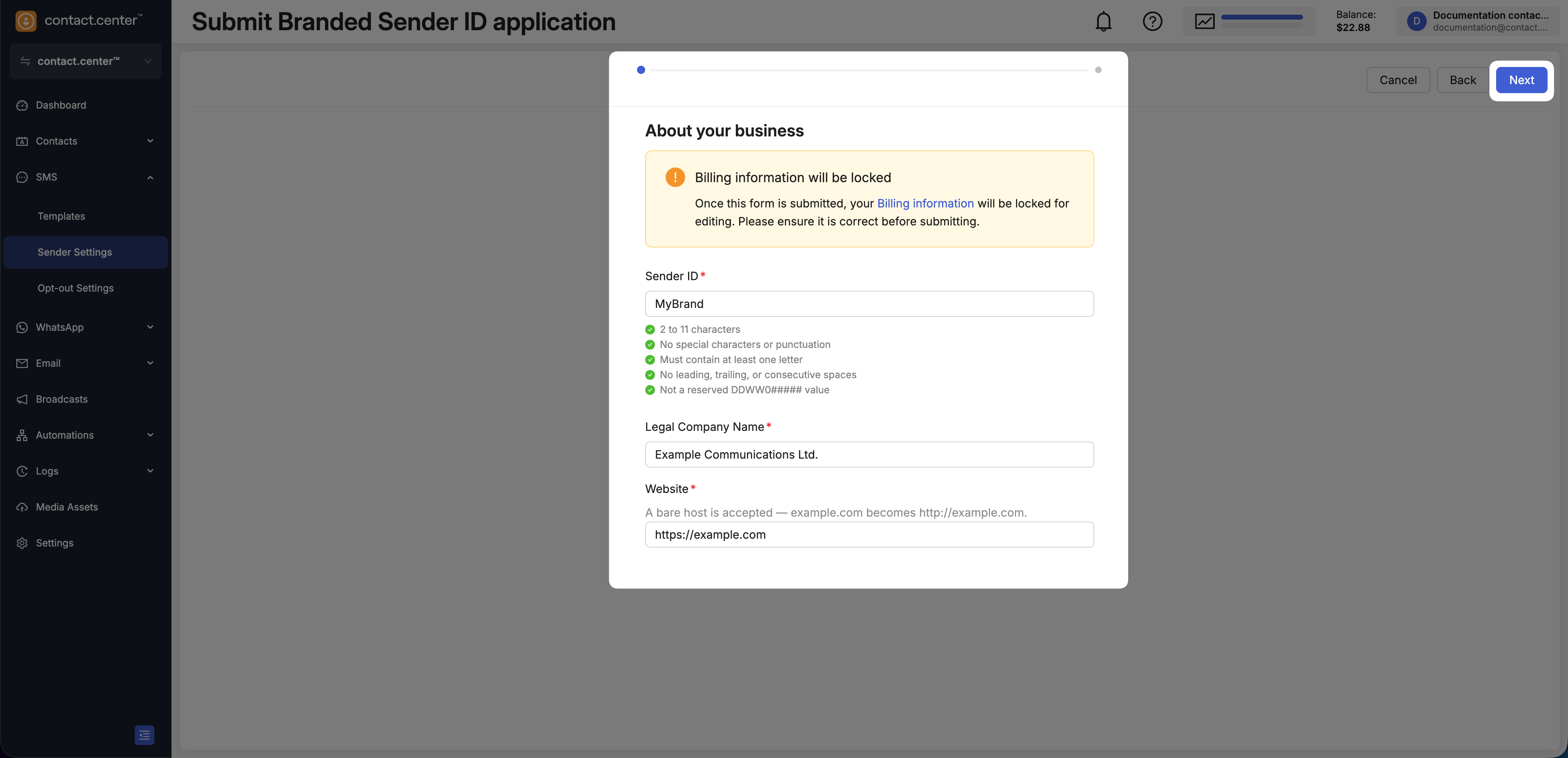
Fig. 2. Enter the Sender ID and business information.
Step 3: Enter campaign details
Select the Use case type.
Enter the Campaign description.
In How will consumers opt in?, explain how recipients agree to receive the messages.
Enter two representative messages in Sample content message #1 and Sample content message #2.
Review the information and click Submit.
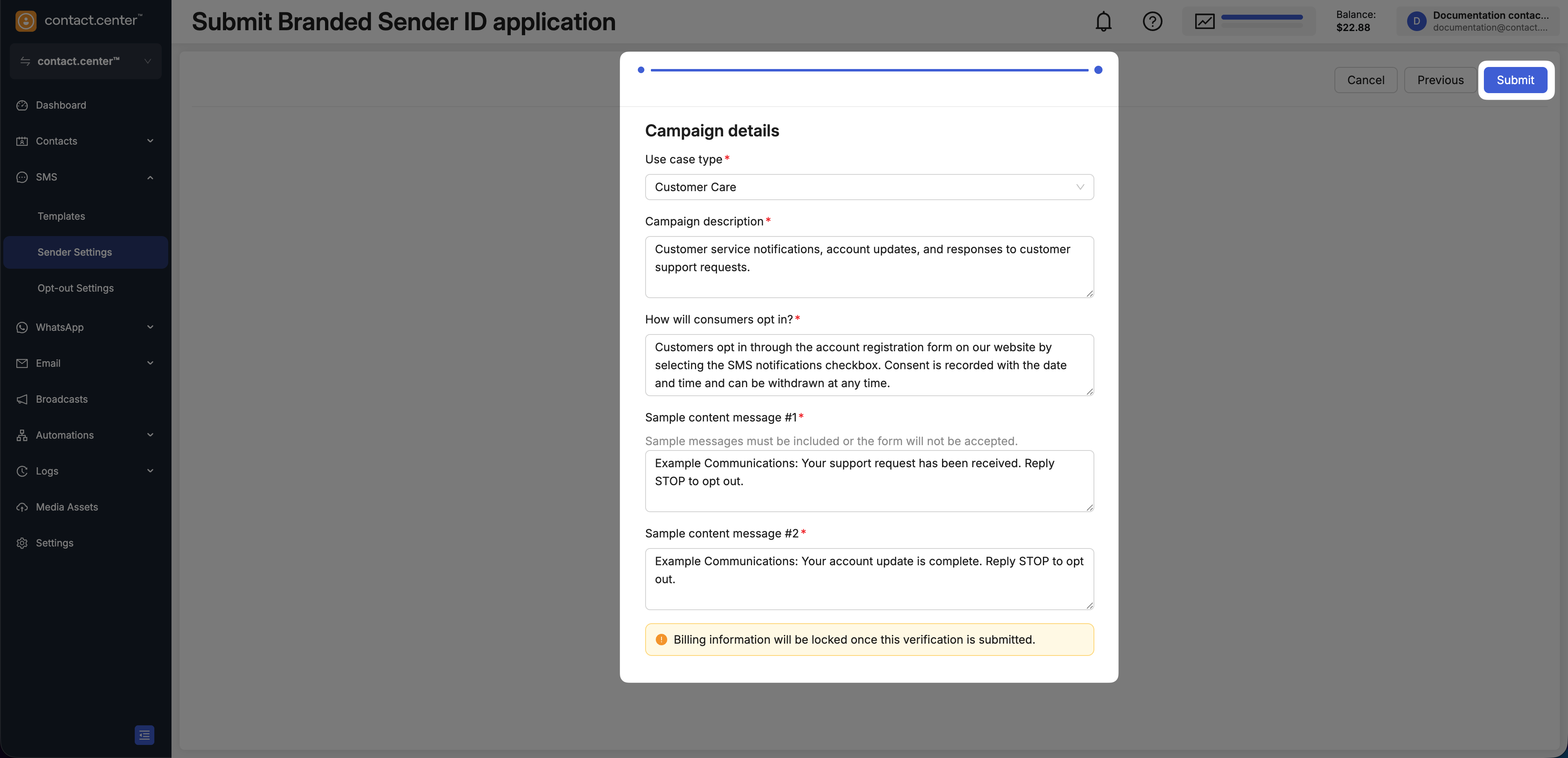
Fig. 3. Enter the campaign details and submit the application.
After submission, the status is shown under Branded Sender ID on the Sender Settings page. Workspace owners and administrators receive an email when the application is submitted and when its status changes.
If changes are requested, see Resubmit a Sender ID application.