
 contact-center
Branded Sender ID
A Branded Sender ID is a recognizable business or brand name, such as
MyBrand, that appears instead of a phone number in one-way A2P SMS
messages. It must contain 2 to 11 characters and at least one letter. It cannot
contain special characters or punctuation, leading or trailing spaces, or
consecutive spaces. It cannot use a reserved DDWW0##### value.
Common uses
Use a Branded Sender ID when recipients should recognize the sender and reply-based opt-out is not required. Common uses include:
Authentication and security notifications.
Account and service alerts.
Appointment or delivery updates.
Transactional notifications.
Marketing messages that meet the applicable requirements.
How messages appear
Recipients usually see the approved Sender ID instead of a phone number. Its exact appearance may vary by mobile carrier, device, and messaging application. Use a value that clearly matches the business or brand sending the message.
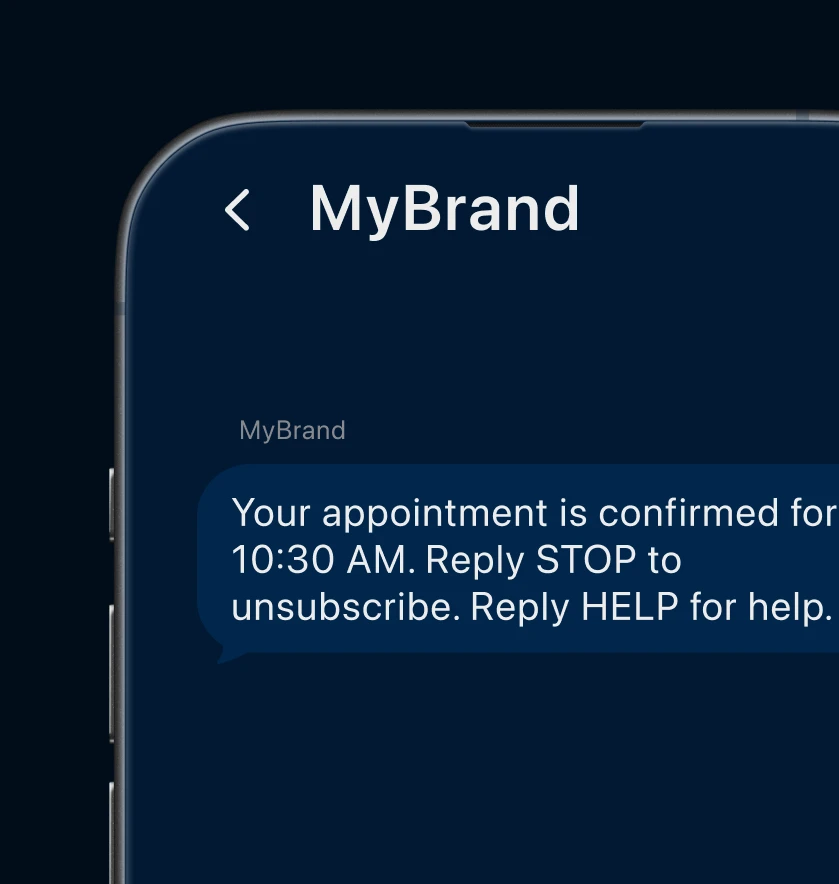
Fig. 1. Example message from a Branded Sender ID.
Availability
A Branded Sender ID is available only in supported countries.
On the Sender Settings page, expand Available in under Branded Sender ID to view the current country availability.
Application requirements
A Branded Sender ID must be approved before use. The application links the Sender ID to the business, target countries, and messaging use case submitted for review.
The Sender ID and messages sent with it must match the approved application details. For required submission fields, see Branded Sender ID application.
To submit an application, see Enable a Branded Sender ID.
Using an approved Sender ID
After the application is Approved, the Branded Sender ID becomes available for SMS messages in contact.center™. Send only messages that match the approved business, destination countries, and messaging use case.
Select the approved Sender ID when creating an SMS broadcast or configuring the Send SMS action in an automation.